
Why I Built Pairbook, a Vault for HomeKit and Matter Setup Codes
Posted on: November 18, 2026
My new app, Pairbook, is on the App Store. It keeps every HomeKit and Matter setup code with the accessory it belongs to, on iPhone, iPad and Mac.
It’s a small app for a small but very annoying problem, and this post is about why I made it and some of the decisions behind it.
The problem
To re-pair a smart home accessory, you need its setup code. Apple Home can’t show it to you again once it’s paired, and no app can read it from your home. So every time something needs resetting, you’re looking for a sticker. Usually it’s on the back of something screwed to the wall, or on a box that’s long gone.
I’ve got a lot of smart home kit, and I write about it on my tech blog, so I hit this more than most. I wanted every code scanned once, linked to the right accessory, and ready on screen when I needed it.
Scanning and checking codes
The first job was reading codes reliably. Pairbook scans HomeKit and Matter QR codes, or the printed digits, including scuffed and shadowed labels.
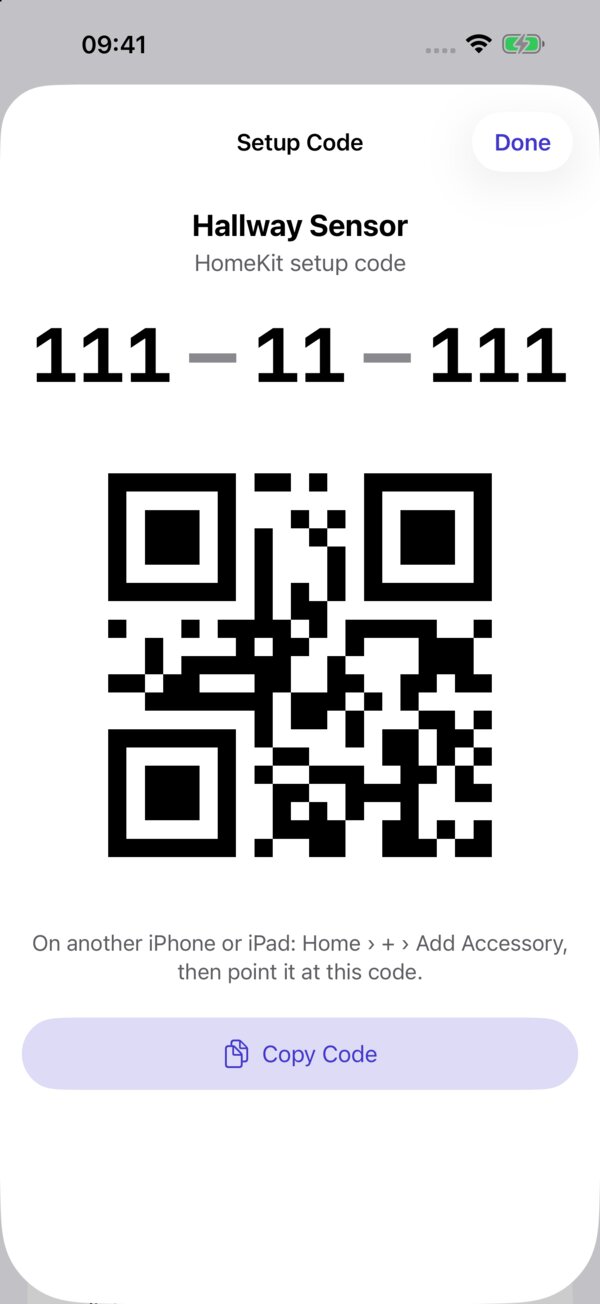
A setup code with one wrong digit is worse than no code at all, because you only find out when you need it. So Pairbook checks every code before it’s saved. HomeKit never issues certain codes, like 111-11-111, and Matter’s codes end in a check digit, so a misread shows up straight away.
Linking codes to accessories
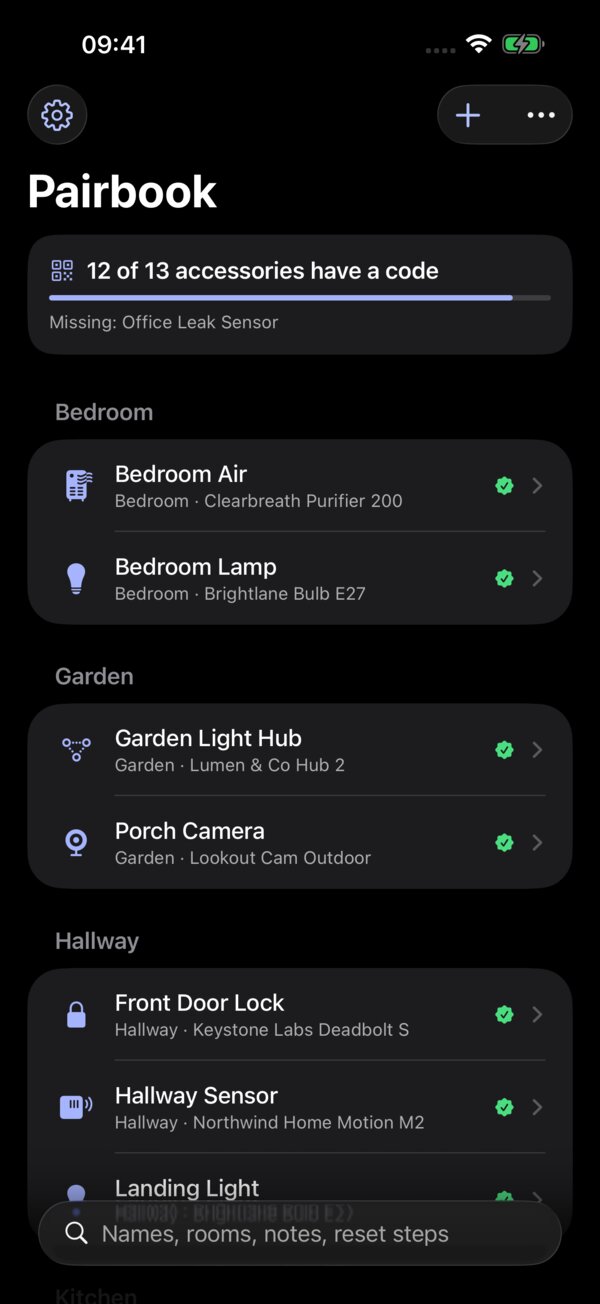
A list of numbers isn’t much use on its own. Pairbook reads your Apple Home and suggests which accessory each code belongs to.
Bridges needed some thought. Lights behind a hub don’t have their own codes, so counting them would make your home look less covered than it is. Pairbook counts the hub once and shows what it covers. That makes the coverage count (“31 of 38 accessories have a code”) an honest to-do list.
There’s also re-pairing to handle. Apple Home gives a re-paired accessory a new identity, so Pairbook spots that and offers to re-link the code.
What it can’t do
One thing I had to accept early on: apps can’t add accessories to Apple Home themselves. The permissions for that are restricted. So Pairbook does the next best thing. It redraws the original QR code on screen for another device’s Home app to scan, or copies the code and opens Apple’s add-accessory screen for you.
Privacy first
Setup codes are effectively keys to your home, so privacy wasn’t optional. Pairbook is locked with Face ID or Touch ID and hidden in the app switcher. It syncs through your own iCloud with codes end-to-end encrypted, and there are no accounts, servers, analytics or ads.
iPhone, iPad and Mac
You scan on iPhone, but the Mac is a great place to browse and print. Pairbook Pro can print a home binder: a PDF, room by room, with every code as text and QR. I like the idea of it living in a folder next to the fuse box.
One payment, no subscription
Pairbook is free for up to 15 codes. Pairbook Pro is a one-off £4.99 for unlimited codes, photos, warranty and battery reminders, the printable binder and sync. I didn’t want a subscription for an app you open when something needs re-pairing. One purchase covers iPhone, iPad and Mac, and Family Sharing is included.
Try it
Pairbook is on the App Store: Download Pairbook
You can find out more on the Pairbook website. If you’ve got ideas for what it should do next, I’d love to hear them.
Follow Me