
Why I Built Wheelwave, a Click Wheel Music Player for Old iPhones
Posted on: November 16, 2026
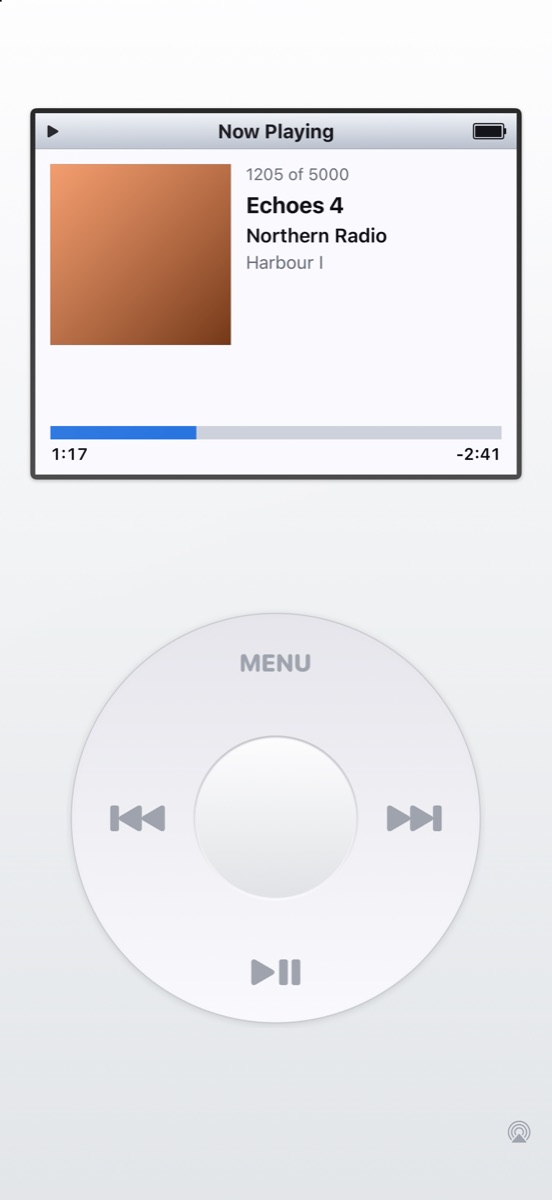
My new app, Wheelwave, is out on the App Store. It’s a music player with a click wheel, simple menus and your own music library, and it’s designed to give an old iPhone a new job as a dedicated music player.
It’s free, with no ads, no subscription and no account. This post is about why I made it and some of the decisions behind it.
The idea
Old iPhones don’t really die. They get replaced, go in a drawer, and stay there. Most of them still have a decent screen, a headphone socket or Bluetooth, and room for a music library. What they’re missing is a reason to pick them up.
A music player felt like the right job. Phones are great at music but they’re also full of everything else. I wanted something that does one thing, with controls you can use without looking, and that feels nice to use. A click wheel was the obvious answer.
A different way of building for me
All my other iPhone apps are built with Expo and React Native. Wheelwave is my first app built natively in Swift, and that was deliberate.
The click wheel has to feel instant. Every movement of your thumb becomes a scroll step, a haptic tap and maybe a click sound, and any lag makes it feel wrong. So the wheel reads touches directly in UIKit, and the lists only draw the eight or so rows that are on screen. That means scrolling costs the same whether you have 50 songs or 50,000.
Supporting old iPhones
If the point is to reuse old iPhones, the app has to run on them. Wheelwave supports iOS 15, which goes back to the iPhone 6s, iPhone 7 and the original iPhone SE.
That shaped a few decisions. Some of Apple’s newer music APIs need iOS 16, so Wheelwave uses the older media library APIs that still reach iOS 15. Playback goes through Apple’s system music player. That means the operating system looks after background audio, the Lock Screen, interruptions and AirPlay, and the queue keeps playing even if you close the app.
I also had to design for small screens. I checked layouts on the 4.7-inch iPhone SE screen, which is the same size as the 6s and 7, as well as a 4-inch screen for the original SE.
Big screens too
At the other end, Wheelwave runs on iPad and on iPhone Duo’s 5.4-inch cover screen.
There’s a Home Screen widget too, for iOS 17 and later, showing the current track with play, pause and skip buttons.
Making it yours
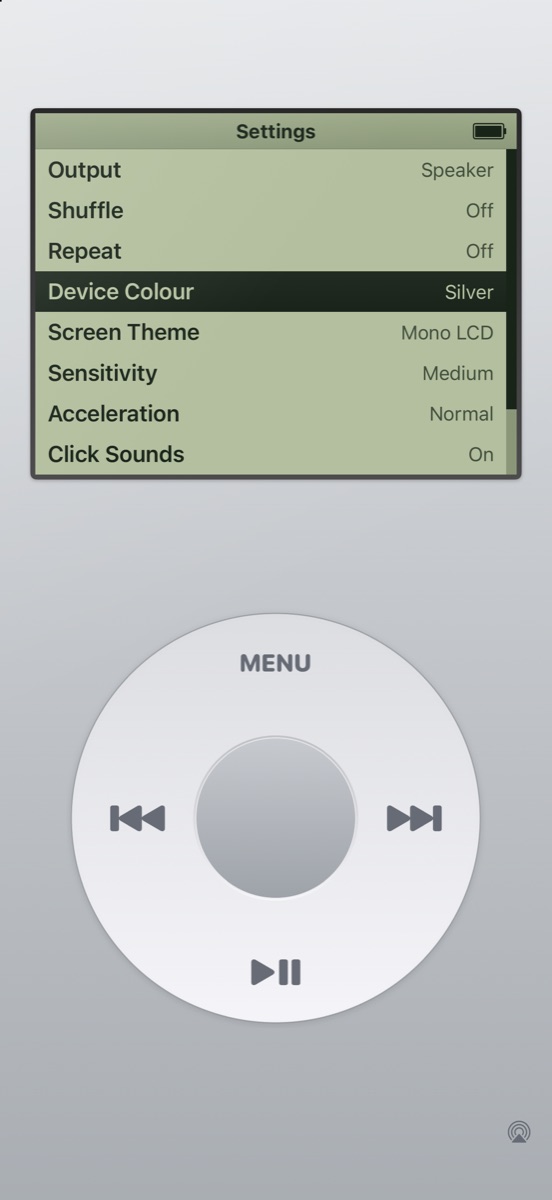
You can pick from four device colours and four screen themes, including a Night theme and a green Mono LCD theme. You can also tune how sensitive the wheel is and switch haptics and click sounds on or off.
My music in the screenshots
Anyone who looks closely at the App Store screenshots will spot that the music in them is mine. The albums are Rock and Roll Heart and Stay Positive by my band, Backroom Stereo. If the screenshots make you curious, you can listen on Bandcamp.
No data, no tracking
Wheelwave doesn’t collect any personal data. There are no accounts, analytics, ads or third-party SDKs. It reads your music library on your device, and that’s it.
Try it
Wheelwave is free on the App Store: Download Wheelwave
There’s more on the Wheelwave website, and if you’ve got feedback or ideas, I’d love to hear them.
Follow Me